
Download Zilta – AI‑Powered Interview Practice Tool for Job Seekers
Overview
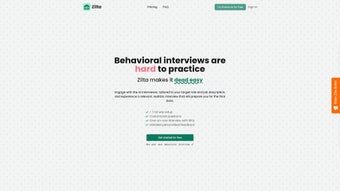
Zilta is an innovative, web‑based interview preparation platform that leverages artificial intelligence to simulate realistic behavioral interview sessions. Designed specifically for job seekers who want to sharpen their answers, Zilta lets you choose a role and paste a job description; the AI then generates a custom set of interview questions that mirror what hiring managers are likely to ask. During a one‑on‑one interview, the AI acts as an interviewer, prompting you with questions, listening to your spoken responses (or typed answers), and providing instant, data‑driven feedback.
After each practice round, Zilta compiles a detailed report that highlights strengths, pinpoints weak spots, and offers concrete suggestions for improvement. The platform is built for ease of use: no software download, no complex configuration—just a browser, an internet connection, and a willingness to practice. While the core version offers unlimited practice for a single role at no cost, a premium tier unlocks an extensive curated question bank, answer templates, and a camera‑enabled live interview mode for those who want to rehearse non‑verbal cues as well.
Whether you’re a recent graduate, a professional pivoting careers, or a seasoned manager preparing for a senior‑level interview, Zilta provides a secure, scalable, and feedback‑rich environment that boosts confidence and performance in behavioral interviews.
Key Features of Zilta
- AI‑Generated Custom Questions: Tailors interview prompts to the specific role and job description you upload, ensuring relevance.
- One‑On‑One Interview Simulation: Interacts with you in real time, mimicking the cadence and tone of a human recruiter.
- Instant Feedback Engine: Analyzes content, structure, and tone of your answers, then provides actionable suggestions.
- Comprehensive Post‑Session Report: Includes a scorecard, highlighted improvement areas, and a set of best‑practice tips.
- Unlimited Practice Sessions: Practice as many times as you need on the same role without additional cost.
- Premium Question Bank: Access a curated library of 500+ industry‑specific behavioral questions and model answers.
- Camera‑Enabled Live Mode (Premium): Record video responses to evaluate body language, eye contact, and overall presence.
- Secure Cloud Storage: All session data is encrypted, stored in compliance with GDPR and CCPA standards.
- Cross‑Platform Accessibility: Works on any modern browser across Windows, macOS, Linux, Android, and iOS devices.
- Regular Updates & AI Improvements: The platform receives monthly model refinements to stay current with hiring trends.
Installation & Usage – How to Get Started with Zilta
Getting Zilta up and running is intentionally frictionless. Since it is a web‑based SaaS solution, there is no traditional “installation” process; you simply need a supported browser (Chrome, Firefox, Edge, or Safari) and an internet connection. Follow these steps to start practicing right away:
- Create Your Account: Visit zilta.com and click “Sign Up.” You can register using an email address or authenticate via Google or Microsoft single‑sign‑on. The free tier requires only basic contact information.
- Set Up Your Interview Profile: After logging in, navigate to “New Interview.” Enter the job title you are targeting (e.g., “Product Manager”) and paste the full job description from the posting. Zilta’s AI parses the text to extract key competencies and responsibilities.
- Choose Interview Mode: Select either “Text‑Only” (type your answers) or “Voice‑Enabled” (speak into your microphone). For premium users, you can also enable “Video Mode” to record facial expressions.
- Start the Interview: Click “Begin Session.” The AI interviewer will ask the first question and wait for your response. In voice mode, the system uses speech‑to‑text technology to transcribe your answer for analysis.
- Review Feedback: Once you complete the set of questions, Zilta automatically generates a report. The report includes a numerical score, a breakdown of content relevance, storytelling structure, and tone, plus a list of actionable tips.
- Iterate and Improve: Use the feedback to refine your answers, then restart the session or create a new interview with a slightly altered job description to broaden your preparation.
For users who prefer a mobile experience, Zilta offers a responsive web app that works seamlessly on Android and iOS browsers. The platform also supports offline practice: you can pre‑download a set of questions, practice without an internet connection, and sync the results once you’re back online. Throughout the process, Zilta respects your privacy—no personal data is sold to third parties, and you can delete any session history with a single click.
Compatibility, Pros & Cons
Zilta runs in any modern web browser on Windows 10/11, macOS 10.15+, Linux distributions, as well as mobile operating systems such as Android 8.0+ and iOS 13+. Because it is cloud‑based, the underlying hardware requirements are minimal; even older laptops or tablets can deliver a smooth experience as long as they support HTML5 and have a functional microphone (for voice mode) or webcam (for premium video mode).
Pros
- Zero‑install, instantly accessible from any device.
- AI‑driven question generation ensures relevance to the specific role.
- Detailed post‑session analytics help pinpoint exact improvement areas.
- Unlimited free practice for a single role, ideal for deep mastery.
- Premium features (question bank, video mode) add significant value for serious candidates.
- Secure, GDPR‑compliant data handling gives peace of mind.
- Regular AI updates keep the platform aligned with evolving interview trends.
Cons
- Free tier limits the number of distinct roles you can practice.
- Voice and video modes require a stable internet connection for real‑time processing.
- While the AI feedback is comprehensive, it may lack the nuanced perspective of a human career coach.
- Premium subscription is recurring; users on a tight budget may find it pricey.
Conclusion, Frequently Asked Questions & Call to Action
Zilta stands out as a highly practical, AI‑enhanced interview preparation tool that bridges the gap between generic interview guides and personalized coaching. Its ability to generate role‑specific questions, deliver instant, data‑driven feedback, and offer unlimited practice sessions makes it a compelling choice for anyone serious about landing their next job. While the free version already delivers substantial value, the premium tier’s expanded question library and video interview mode provide an extra layer of realism that can be a game‑changer for high‑stakes interviews. In a competitive job market, the confidence and polished storytelling you develop with Zilta can translate directly into better interview performance and, ultimately, more offers.
Ready to boost your interview confidence? Sign up for Zilta today and start practicing for free. If you need the full suite of premium features, consider the 14‑day trial to experience the curated question bank and video mode risk‑free. Elevate your preparation, sharpen your answers, and walk into every interview with the poise of a seasoned professional.
Frequently Asked Questions
Is Zilta really free to use?
Yes, Zilta offers a free tier that allows unlimited practice sessions for a single role or job description. The free version includes AI‑generated questions, real‑time interview simulation, and a basic feedback report.
Do I need to download any software?
No download is required. Zilta is a fully web‑based application accessible through any modern browser on Windows, macOS, Linux, Android, or iOS.
How secure is my interview data?
Zilta encrypts all session data both in transit and at rest, complies with GDPR and CCPA, and gives you full control to delete any interview history at any time.
Can I practice with video to improve body language?
Yes, the premium version includes a camera‑enabled live interview mode that records your video responses, allowing you to review facial expressions, eye contact, and posture.
What kind of feedback does Zilta provide?
After each session, Zilta delivers a comprehensive report covering content relevance, story structure (STAR method), tone, clarity, and actionable tips to improve each aspect of your response.



.png)



